
Phrozen Sonic Mini 8K / 8KS: The Fastest Setup for Dental Printing

The Phrozen Sonic Mini 8K and 8KS are two of the most popular printers in dental labs and clinics. They are small, sharp and affordable. But most dental jobs use only a small corner of the build plate, and the printer still moves as if it were printing a full plate. This guide shows how to set up the 8K / 8KS for fast dental printing, and where the time savings really come from.
Why the 8K / 8KS is slower than it needs to be
On a resin printer, every layer has three parts: exposure, lift and retract. For small dental prints, exposure is usually only a few seconds. The rest of the time is the build plate moving up and down.
A full-size plate pressed into a full vat creates strong suction against the film, so the printer must lift slowly and high to release each layer.
Typical full-plate settings use a lift distance of 6–8 mm at slow speeds.
A crown, a splint or a single arch only covers a small part of that area, so most of the suction (and most of the waiting) is wasted.
What changes with a mini vat and mini plate
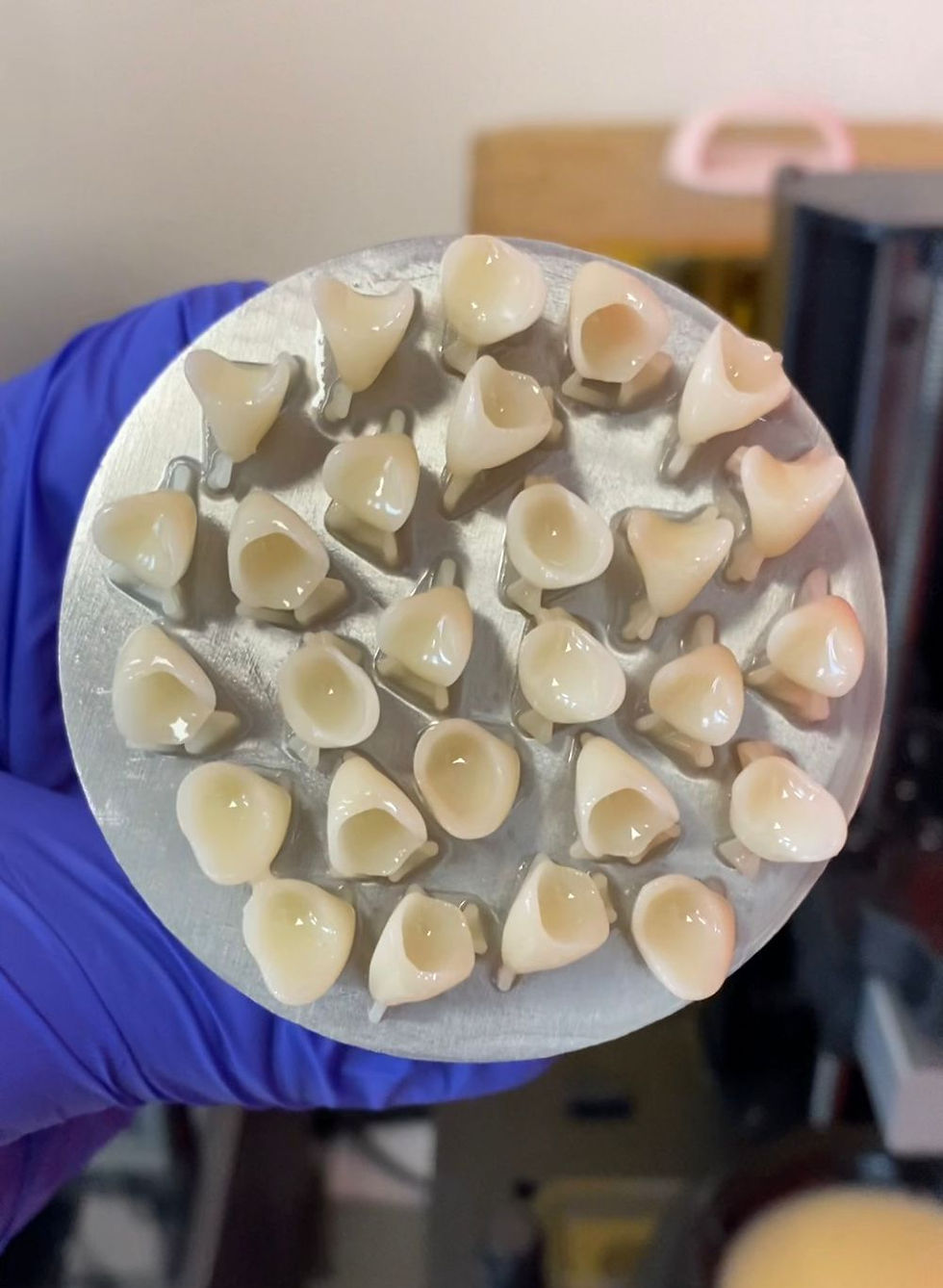
A mini vat and mini plate shrink the printing area to the size dental work actually needs. Less contact area means less suction, so each layer releases more easily. That lets you shorten the lift distance and raise the lift and retract speeds, which is where the 8K / 8KS gains up to 3x faster movement, at the same exposure time.
Lift distance drops from 6–8 mm to about 2–4 mm per layer.
Lift and retract speeds can go up safely because the peel force is much lower.
You use far less resin per print, and switching resins takes seconds instead of draining a full vat.
Fast settings for the Phrozen Sonic Mini 8K / 8KS
Start in Fast mode, check your first prints, then move to Ultra-fast for small parts. These are the starting points from our mini plate settings guide for the Sonic Mini 8K:
Ordinary: lift distance 5–6 mm, lift speed 80–100 mm/min, bottom lift speed 50–60 mm/min, retract 120–180 mm/min.
Fast: lift distance 3–4 mm, lift speed 120–180 mm/min, bottom lift speed 80–100 mm/min, retract 250–450 mm/min.
Ultra-fast: lift distance 2–3 mm, lift speed 250–300 mm/min, bottom lift speed 100–120 mm/min, retract 400–600 mm/min. Small parts on a mini plate only; test first.
Full details are in our Fast Resin Printing Settings guide.
What about exposure?
A mini plate does not change exposure time. Exposure depends on the resin, so take normal and bottom exposure from a tested profile for your resin. For the Sonic Mini 8KS, Dr. Rick Ferguson publishes tested profiles for dozens of dental resins, including exposure, lift and retract values and support settings.
You can find them on Dr. Ferguson's Mini Plate settings page.
How much time does it save? A simple example
Take a dental model 25 mm tall printed at 0.05 mm layers: 500 layers. Assume a lift speed of 120 mm/min and a lowering speed of 180 mm/min, with 3.5 seconds of exposure and delay per layer.
Full plate, 8 mm lift: about 6.7 seconds of Z movement per layer, so about 56 minutes of movement plus 29 minutes of exposure: roughly 85 minutes.
Mini plate, 3 mm lift: about 2.5 seconds of Z movement per layer, so about 21 minutes of movement plus 29 minutes of exposure: roughly 50 minutes.
Same printer, same resin, same exposure: about 35 minutes saved on one model, before you even raise the speeds.
Tips for reliable fast printing on the 8K / 8KS
Keep the resin warm. Dr. Ferguson's profiles mostly use 30–40 °C, because warm resin flows back under the plate faster.
Level the mini plate carefully before the first print.
Orient parts to reduce suction: tilt crowns and avoid closed cups; print hollow models flat on the plate where your resin allows it.
Change one setting at a time and keep a short log of what worked.
Always run a test print before printing patient work, and follow your resin maker's instructions for dental use.
Which Mini4Speed kit fits the 8K / 8KS?
FAQ
Does a mini vat reduce print quality? No. Exposure and layer height stay the same; only the movement between layers changes.
Can I still print a full arch? Yes, as long as it fits the mini plate area. For large or multiple full-arch jobs, use the original vat and plate.
Do I need new software? No. You only change lift distance and speeds in your slicer, such as Chitubox.


Comments